











BLACK FRIDAY

2× credits · Ends Dec 1

Ends Dec 1, 11:59 pm PTGrab 2× credits
Add Outline to Image

Add a clean outline around your image. Pick the thickness and color, add a soft shadow, then download a transparent PNG.

JPG, PNG or WEBP · up to 20 MB

Upload a transparent PNG to outline the subject. Images without transparency get a border around the edge.

12 px
Outline color

Free · no sign-up · 0 credits

No limit on downloads.

Live preview
The same cat cutout with a thick white outline that follows the ears, paws and tail
Cartoon cat cutout as a transparent PNG on a teal backdrop, no outline
BeforeAfter

More Fixes for the Same Kind of Photo

Other tools in this category, for the next problem in the same picture.

Add Outline to Image Cutouts, Stickers and Logos

Give a cutout the bold sticker edge that makes it stand out on any background

Add an outline to an image the way sticker makers do: upload a transparent PNG of a pet, product, logo or person, choose white, black, gold or any color, and set the thickness from 1 to 60 pixels while the preview follows the shape. Turn on a soft shadow for extra lift, then download a transparent PNG ready for sticker printing, a YouTube thumbnail, a slide or a product post.

Outline My Image
One cartoon rocket cutout three times: with a white outline, a gold outline and a black outline with a soft shadow
Follows the cutout shape|1–60 px thickness|Any outline color|Transparent PNG out

How to Add Outline to Image Cutouts

You can add an outline to an image in three steps: open a cutout, set the color, thickness and shadow while watching the preview, then check the edge and download it.

1

Upload a Transparent PNG

Drop a PNG or WEBP cutout of up to 20 MB with a transparent background into the upload box. To add an outline to an image that still has its background, remove the background first in any cutout tool. Logos, stickers and product photos with crisp edges give the cleanest outline.

2

Choose Color, Thickness and Shadow

Pick white, black or gold, or open the color picker for any shade, then drag the thickness slider between 1 and 60 pixels. Switch on the soft shadow if the sticker will sit on a busy photo. The preview redraws as you add an outline to the image, so you can see the edge around ears and corners.

3

Check the Edge, Then Download PNG

Look at thin parts such as tails, straps and lettering, and raise the thickness if gaps between them should fill in. Then choose Download PNG. The canvas grows by the outline and shadow, so nothing is clipped, and after you add an outline to the image it keeps its transparent background.

AI Fixes for Harder Photo Problems

When a picture needs whiter teeth, a slimmer face, no glare or a corrected number, these AI photo fixers make the edit for you.

Add Outline to PNG: What Each Setting Changes

Each option below changes one visible part of the edge, so you can add a white outline to an image for a sticker or a dark one for a thumbnail.

An Outline That Follows the Cutout

The tool reads the transparency in your PNG and grows the edge evenly around the visible subject, including ears, paws and tails. That gives the classic die-cut sticker look that a rectangle border cannot. When you add an outline to an image this way, the cutout separates from any background, which is why sticker printers ask for a white edge around artwork.

Cartoon shiba dog cutout before and after: plain on the left, white outline following ears, paws and curled tail on the right

Thickness from 1 to 60 Pixels

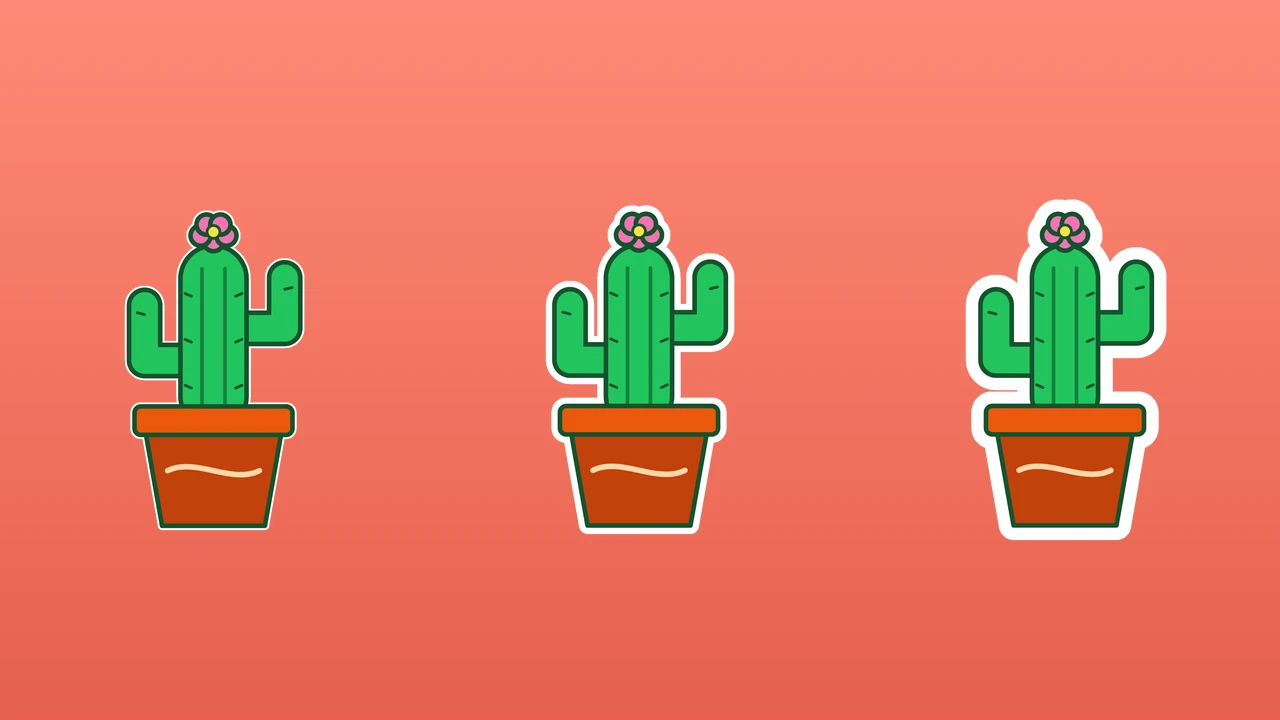
A hairline of 2 or 3 pixels tidies a logo, a medium 12 to 20 pixels suits a typical sticker, and 40 pixels or more gives the chunky edge that reads on a phone screen. Thickness is measured in pixels of your original file, so when you add an outline to an image it looks the same on the download as in the preview.

The same potted cactus cutout three times with a white outline at 6, 20 and 40 pixels, on a coral backdrop

White, Black, Gold or Any Color

White is the sticker standard, black gives comic-book contrast and gold matches warm brand colors; the color picker covers any other shade. Try two or three before you add an outline to an image for a brand, because a dark logo can need a light edge on one slide and a dark edge on the next.

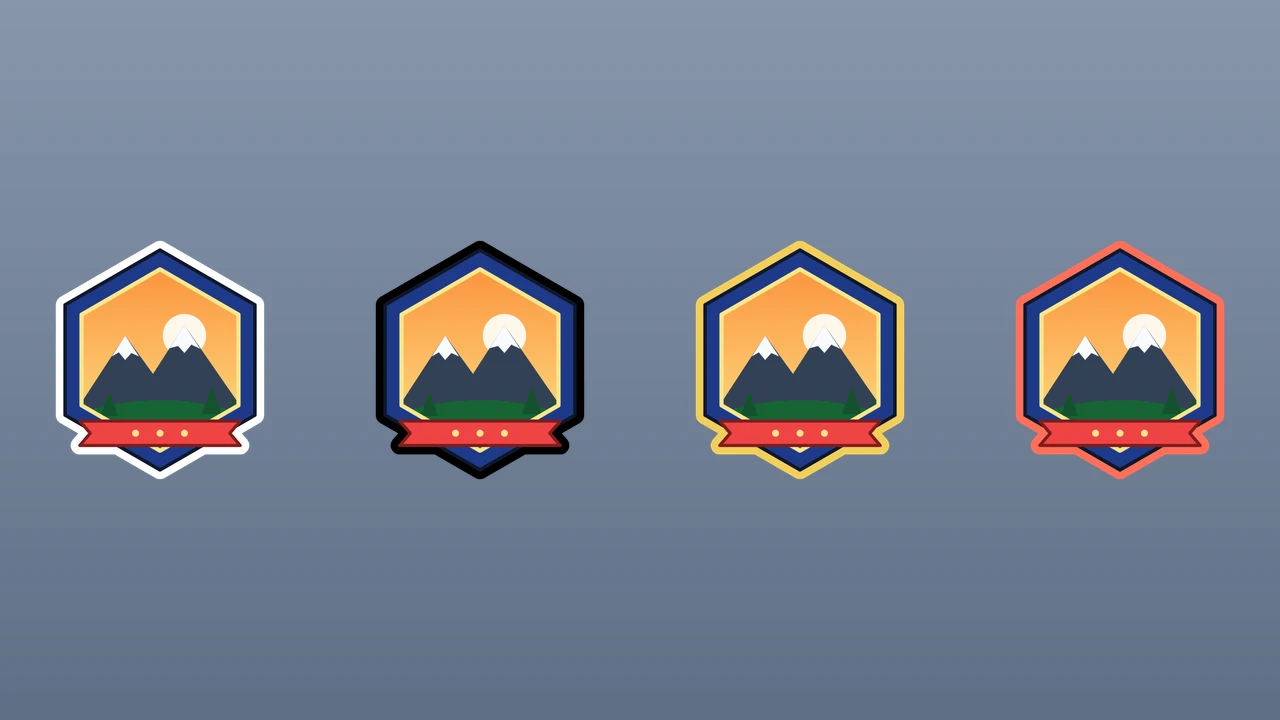
One hexagon mountain badge four times with white, black, gold and coral outlines next to each other

A Soft Shadow and Borders for Photos

The soft shadow lifts a sticker off a busy thumbnail background. Images with no transparency get a border that follows the edge of the picture, with slightly rounded corners. A white border with the shadow on turns a holiday snapshot into a printed-photo sticker, a fridge magnet or a bordered print for a scrapbook page.

Holiday photo of hot-air balloons with a white rounded border and soft shadow added by this tool, on a slate backdrop

Where People Add a White Outline to Image Files

Whenever a subject has to stand out from what sits behind it, people add a white outline to an image: stickers for printing, thumbnails, slide logos and product posts.

Printable and Die-Cut Stickers

Sticker sellers and crafters add an outline to image files before sending them to a cutting machine or print shop. A white edge of 20 to 30 pixels hides small cutting errors and makes the design pop on laptops, water bottles and notebooks, and the PNG keeps its transparent background.

YouTube Thumbnails and Channel Art

Video creators cut themselves out of a frame and add an outline to the image so their face reads on a busy background at thumbnail size. A thick white edge plus the soft shadow is the familiar look, and the transparent PNG drops straight into any thumbnail editor.

Logos and Badges on Slides

Teachers and presenters add an outline to logos that disappear on dark or photo slides. A thin white or gold edge keeps the brand mark legible without redrawing it, and the same file works on light slides too because the transparent background stays intact.

Product Cutouts for Shops and Socials

Small shop owners take a product cutout and add an outline to the image in black or a brand color, plus a soft shadow, and place it on banners and social posts. The outline gives every product the same sticker style, so a feed or sale page looks consistent.

What People Say After They Add an Outline to Image Files

Every design I sell goes to the cutter with a white edge. I add an outline to the image at about 26 pixels, check the ears and tails in the preview, and the transparent PNG goes straight to my print shop. Small cutting errors stopped showing on the finished stickers.

Poppy Ashcombe
Sticker Shop Owner

Add Outline to Image FAQ

Answers about how to add an outline to a PNG on this page: what the outline follows, photos without transparency, background removal, canvas size and what the download contains.

To add an outline to an image means drawing a solid edge around its subject, like the white border on a die-cut sticker. On a transparent PNG the outline follows the subject; on a photo without transparency it becomes a border around the picture.

Upload a transparent PNG here, pick a color and thickness, and download the result. You can add an outline to an image for free, with no sign up and no login. There is no limit on images, so you can outline a whole sticker set in one go.

Upload the PNG, keep the white preset and set the thickness to about 20 to 30 pixels for a classic sticker edge. Switch on the soft shadow if you like, check thin parts in the preview, then download the outlined PNG.

No — this outline tool works with the transparency already in your file. Cut the subject out first with a background remover, save it as a PNG, then upload it here and the outline will follow its shape.

Images with no transparency, such as JPG photos, get a border around the edge of the picture. The corners are slightly rounded, which is handy for printed-photo stickers; to add an outline to a PNG subject instead, remove the background first.

No — when you add an outline to an image here, the canvas grows by the outline thickness and the shadow. A cutout that touches the border of its file still gets a complete outline, and the extra space stays transparent.

No — the transparent PNG you download has no logo or stamp added. When you add an outline to an image here, logos, product shots and photos of people are ready for stickers, thumbnails and listings as soon as you save them.

Add Outline to Image Cutouts Now

Add an outline to an image for free: upload a transparent PNG, choose the color and thickness, add a soft shadow if you like, check the edge in the preview and download a transparent PNG sticker. Bring the cutout you want to stand out.

Add My Outline
Pink sprinkle donut cutout with a thick white outline around the edge and the hole, soft shadow, mint backdrop, square crop