BLACK FRIDAY

2× credits · Ends Dec 1

Ends Dec 1, 11:59 pm PTGrab 2× credits

Edit Text in Image Tools

Fix Text in Image – Prices, Date Stamps and Screenshot Typos

Fix text in image files without the original design: Edit Numbers in Image changes a price, percentage or other figure on a menu, poster or slide; Change Date on Photo redraws the date stamp printed on a snapshot; Screenshot Editor rewrites a word or line in an app, website or slide capture. Each tool is set to keep the font, color and background, so only the text you name changes. Upload one picture, write the old and new wording, and compare before you download.

Browse the Tools
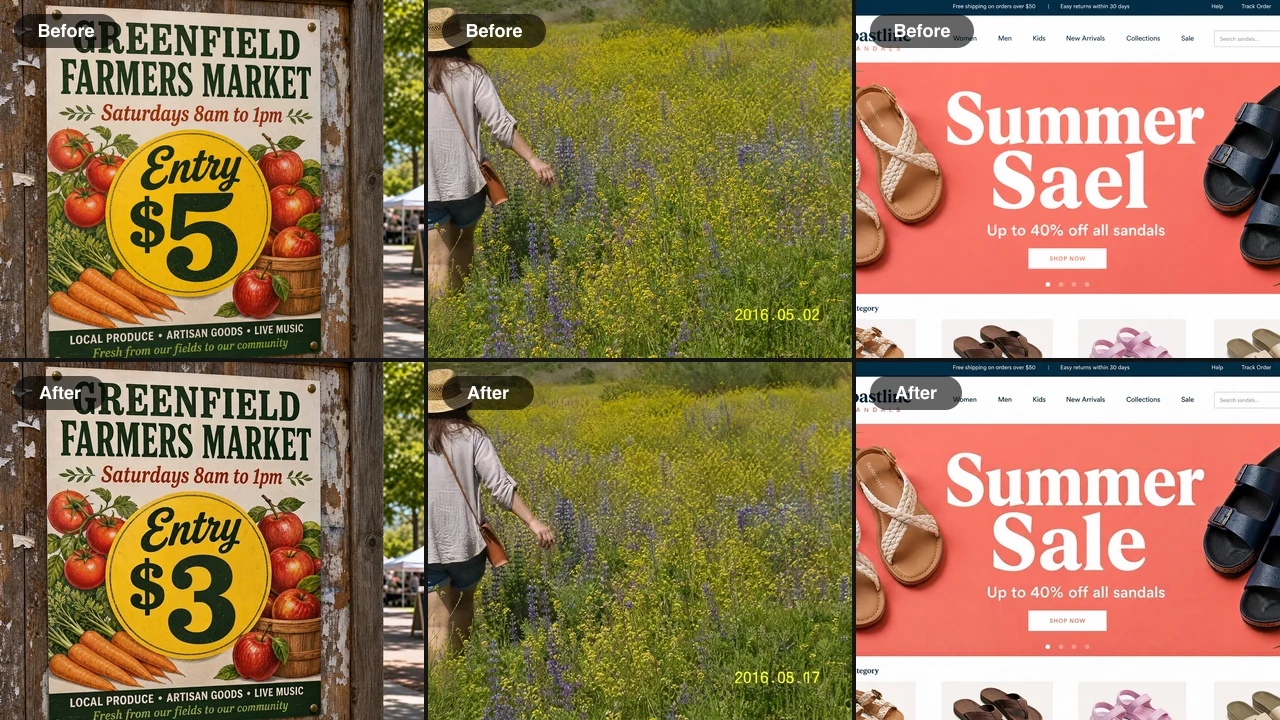
Before and after: a market poster price $5 to $3, a photo date stamp 2016.05.02 to 2016.08.17, a banner typo Sael to Sale

Choose the Tool for the Text You Need to Fix

Each tool below handles one kind of text inside a picture. Start with the row that matches what you want to change, and fix text in image files without retyping the design.

Prices, Percentages and Other Figures on Designs

Edit Numbers in Image changes a single figure inside a finished design: a latte price on a chalkboard menu, a 30% badge on a sale poster, a figure on a saved slide or the weight on a product label. Write the old and new value in the note to fix text in image files where only a number changed, and the new digits come back in the same font, color and texture while the rest of the design stays final.
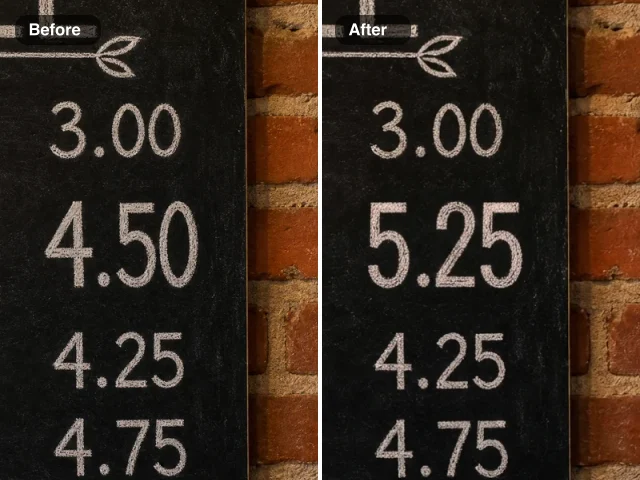
Chalkboard menu price column before and after an edit: 4.50 on the left, 5.25 in the same chalk lettering on the right

Wrong Date Stamps on Snapshots

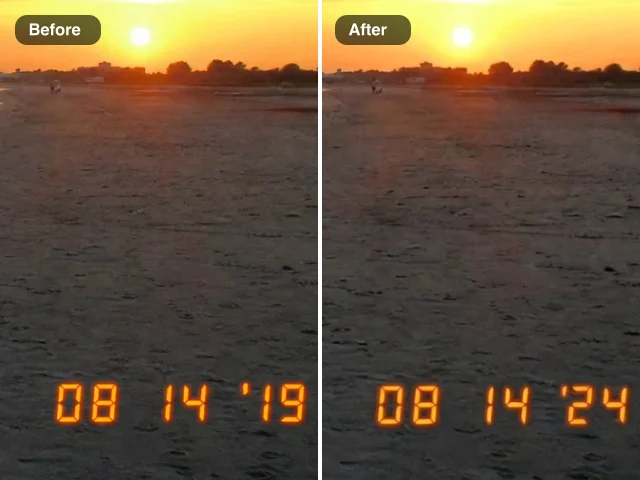
Change Date on Photo redraws the date printed inside a picture, such as the orange stamp of an old compact camera, a film imprint or a date painted on an event sign. The new date keeps the same segment style, color and glow, and the background behind it is rebuilt. It edits the date you can see, so the stamp in the corner changes while the file’s EXIF capture date stays a separate setting.

Sunset snapshot before and after a stamp correction: wrong 08 14 ’19 on the left, 08 14 ’24 in matching orange on the right

Typos and Old Wording in Screenshots

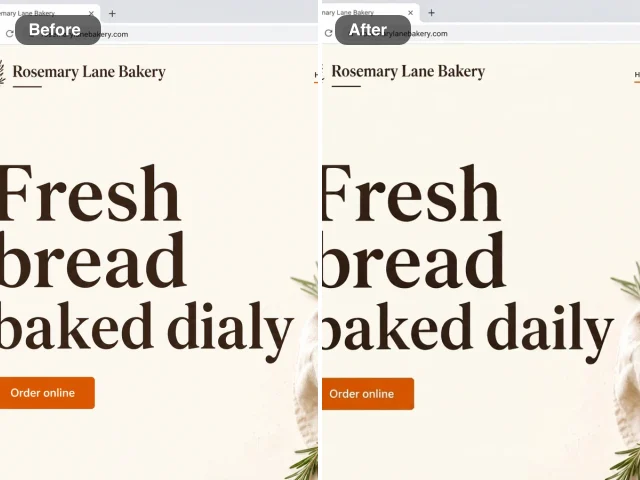
Screenshot Editor rewrites words in a capture of your own app, website, slide or demo chat, keeping the system font, size, color and anti-aliasing inside the same button or bubble. Help-center writers, designers and marketers fix text in image captures this way when a label was renamed or a headline went out with a typo, without recapturing the screen.

Bakery website headline before and after a typo fix: baked dialy on the left, baked daily in the same serif on the right

How to Fix Text in Image Files in Three Steps

To fix text in image files here, you choose the tool for the kind of text, upload one picture and write exactly what should change.

1

Pick the tool for your text

Open Edit Numbers in Image for prices and other figures, Change Date on Photo for camera date stamps, or Screenshot Editor for app and website captures. Each tool already knows its job, so you can fix text in image files without masks, layers or font menus.

2

Upload one picture and write the change

Add a JPG, PNG or WebP and type the old and new wording in the note, for example change 4.50 to 5.25 or change Sael to Sale. Press Edit Image to fix text in image files this way; the edit runs on Nano Banana 2 Lite with built-in instructions that copy the original font and background.

3

Compare the result, then download

Check the result against the original, paying attention to the spacing and edges around the new characters. Download the picture or keep it in your Asset Library, and run the next change on the downloaded copy when more than one piece of text needs to change.

Where People Fix Text in Image Files

These everyday jobs are where people fix text in image files instead of rebuilding the design or retaking the picture.

Menus, posters and flyers

Cafés, shops and community groups update a price, a discount or an entry fee on a finished design. They fix text in image files from last season and post the update with the original lettering intact.

Family photos with wrong date stamps

Archivists and scrapbookers correct camera stamps that read 1 1 2000 or show the wrong year, so albums and anniversary slideshows show the right year. They fix text in image stamps while the retro orange digits keep the look the camera gave them.

Help docs and product screenshots

Technical writers and designers fix text in image captures when a button is renamed or a label changes, keeping the callouts, arrows and layout in place, so the help article matches the product again.

Slides, figures and product labels

Teachers, analysts and small brands correct a figure on a saved slide, retitle a reused slide or preview a new pack size on an existing product photo, then drop the corrected picture back into the handout, deck or listing.

What People Say After They Fix Text in Image Files

Our spring flyer, our chalkboard photo and our website banner all needed small text changes in the same week. I used these tools to fix text in image files one by one, from a price on the menu to a typo in the banner headline. Each change kept the original lettering, so customers never saw a mismatched patch.

Beatriz Calloway
Bakery Owner

Fix Text in Image FAQ

Quick answers on how to fix text in image files, which tool to choose, what each edit keeps, which images are declined and what it costs.

To fix text in image captures with a typo, upload the capture to Screenshot Editor and write the misspelled word and its correction in the note. The AI rewrites only that text in the same font and color; a wrong price or figure on a poster or menu goes to Edit Numbers in Image instead.

Name the exact text and its replacement in the note, and the tool rebuilds the background behind the new characters as it draws them, matching texture, lighting and grain. Keep the new wording close in length to the old one and you can replace text in image layouts without a visible patch.

Match the tool to the text. Edit Numbers in Image changes prices, percentages and other figures on designs; Change Date on Photo redraws a camera date stamp or a date printed in a photo; Screenshot Editor rewrites words in app, website and slide captures. Each one changes only the text you name.

Change Date on Photo edits the date you can see in the picture, the stamp people notice in an album or a slideshow. The tools here fix text in image pixels only: the capture date stored in the file’s EXIF data is a separate setting handled by your phone’s gallery or a metadata editor.

These tools fix text in image files such as designs, snapshots and product screenshots. Screenshots of banking or payment apps, identity documents, bank statements, payment confirmations, receipts and invoice amounts, and medical, legal or government documents are declined automatically before an edit starts.

You can start with free credits by signing up, and checking in each day adds more, with a streak lifting the reward over the week. Each edit in Edit Numbers in Image, Change Date on Photo or Screenshot Editor uses 6 credits, and the cost appears next to the Edit Image button before you start.

When you fix text in image files such as unreleased designs or product screenshots, the Public Visibility switch on the tool page decides who sees each edit. Edits on the free plan are public by default, and a subscription or one-time pack keeps every edit private. Your image is used only to make that edit.

Fix Text in Image Files: Pick the Tool and Upload

Start with Screenshot Editor to fix text in image captures from an app or website: upload one picture, write the old and new wording and compare the result. For a price or a date stamp, pick the matching tool above. Bring the picture your help article, launch post or product update is waiting on.

Open Screenshot Editor
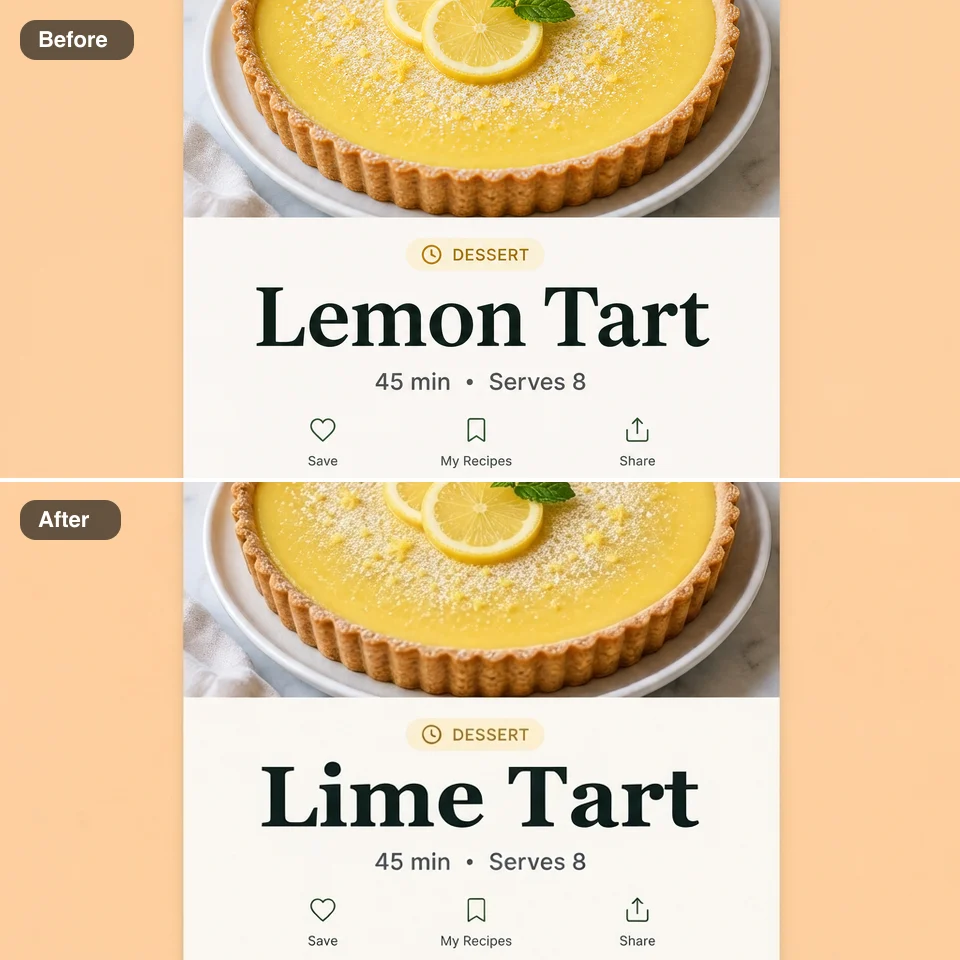
A recipe app screen shown twice, the title Lemon Tart on top and Lime Tart below in the same bold type