









BLACK FRIDAY

2× credits · Ends Dec 1

Ends Dec 1, 11:59 pm PTGrab 2× credits
Edit Numbers in Image

To edit numbers in an image online, upload one picture and write which number to change and what it should become. Only that number is replaced, and everything else stays as it is.

Edit Numbers in Image
Upload Your Image

JPG, PNG or WebP · up to 20 MB · max 6000 px per side

Note
0/200
Public Visibility
Required credits
6
Examples
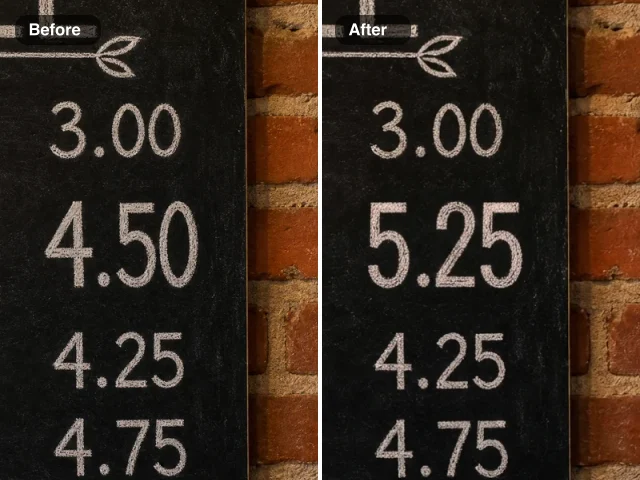
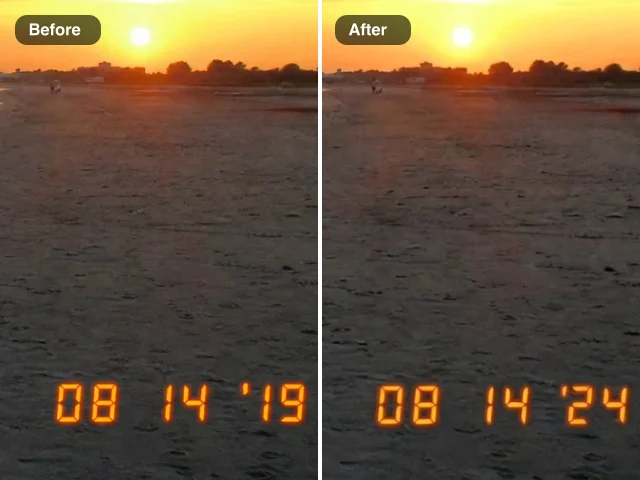
Chalkboard menu price column before and after an edit: 4.50 on the left, 5.25 in the same chalk lettering on the right

More Fixes for the Same Kind of Photo

Other tools in this category, for the next problem in the same picture.

Edit Numbers in Image Online and Keep the Original Font

Change a price, a percentage or a house number and keep the rest of the design as it was.

Upload one image where a single figure needs to change: a café menu, a sale poster, an event flyer, a statistics slide, a product label or a door sign. Type the old value and the new one, such as change 4.50 to 5.25, and the AI redraws only those digits in the same font, weight, color, perspective and texture, while the rest of the design stays as it was. When you edit numbers in an image online this way, you check the result against your original and download the updated picture for your website, a listing or a social post.

Edit a Number in My Image
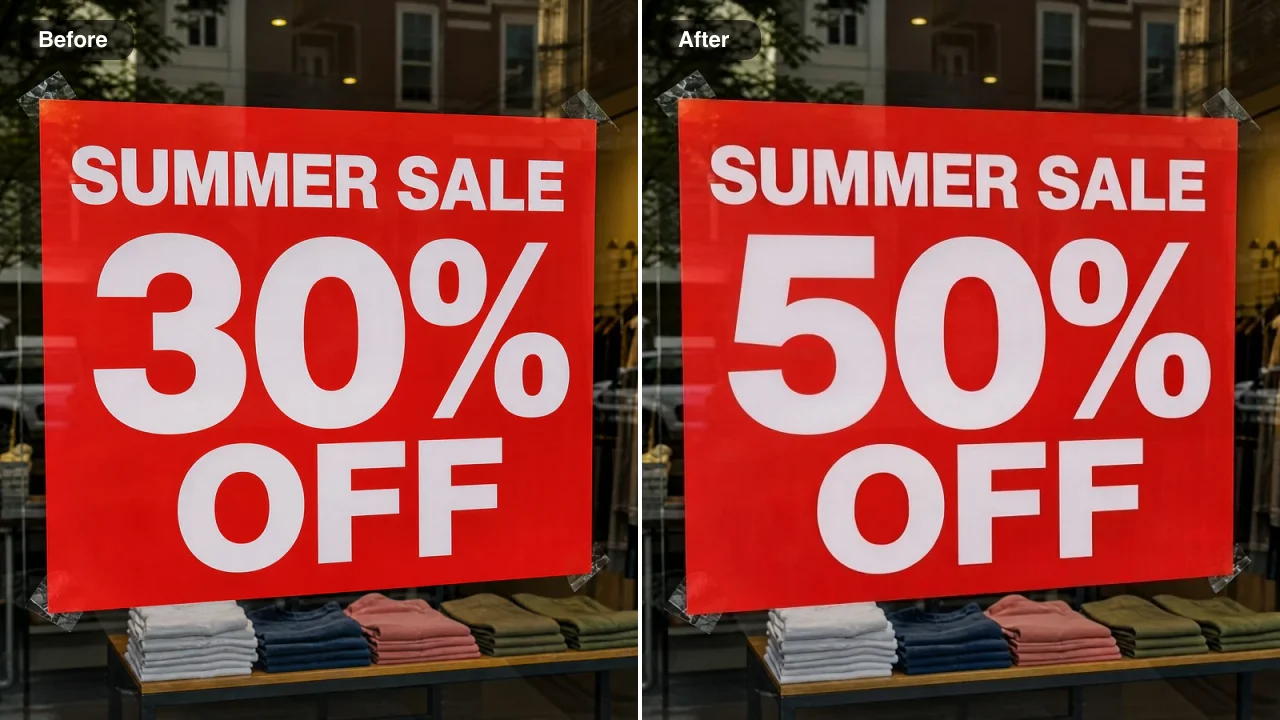
Before and after: a red shop window poster reading Summer Sale 30% off on the left and 50% off on the right
Poster Prices in Their Own Type|Slide Figures Updated|Numbers on Fabric|Product Labels Refreshed

How to Edit Numbers in Image Online in Three Steps

To edit numbers in an image online, you upload one picture, name the number and its new value, then check the result against your original and save it.

1

Upload the image with the number

Drop a JPG, PNG or WebP into the upload box, or pick one from your Asset Library. Menus, posters, slides, product photos and signs all work. Choose the version where the digits are sharpest, because the AI copies the type it can see, and a clear original lets you edit numbers in an image online with a close match to the existing font.

2

Write the old and new number, then press Edit Image

In the note box, name the number and what it should become, for example change 30% to 50% or change the latte price 4.50 to 5.25. Press Edit Image, and the built-in instructions replace only the number you named.

3

Compare the new number and download it

Check the edited picture against your original: the new digits should share the size, spacing, color and texture of the old ones. Download the image or keep it in your Asset Library. When a second figure needs changing, upload the downloaded copy and edit numbers in an image online one value at a time.

Free Photo Tools, No Credits Needed

Repair a broken JPG, straighten a photo, make a scan or add an outline for free, with nothing added to your download.

Edit Numbers in a Photo on Posters, Slides, Fabric and Labels

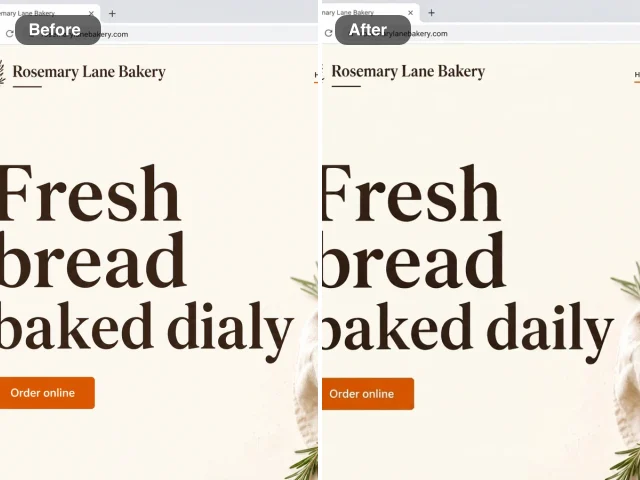
Each row pairs a real before-and-after from this tool: when you edit numbers in a photo here, only the named value changes, while the fonts, colors and surfaces around it stay as they were.

Edit Numbers in Image Online in the Poster’s Own Font

This farmers market poster had its entry fee printed inside a chunky yellow badge. The note asked for $5 to become $3, and the new digit came back in the same rounded retro typeface and color, centred in the badge, with the illustrated vegetables untouched. When a price changes after the poster is designed, organisers can edit numbers in an image online like this instead of rebuilding the whole file.
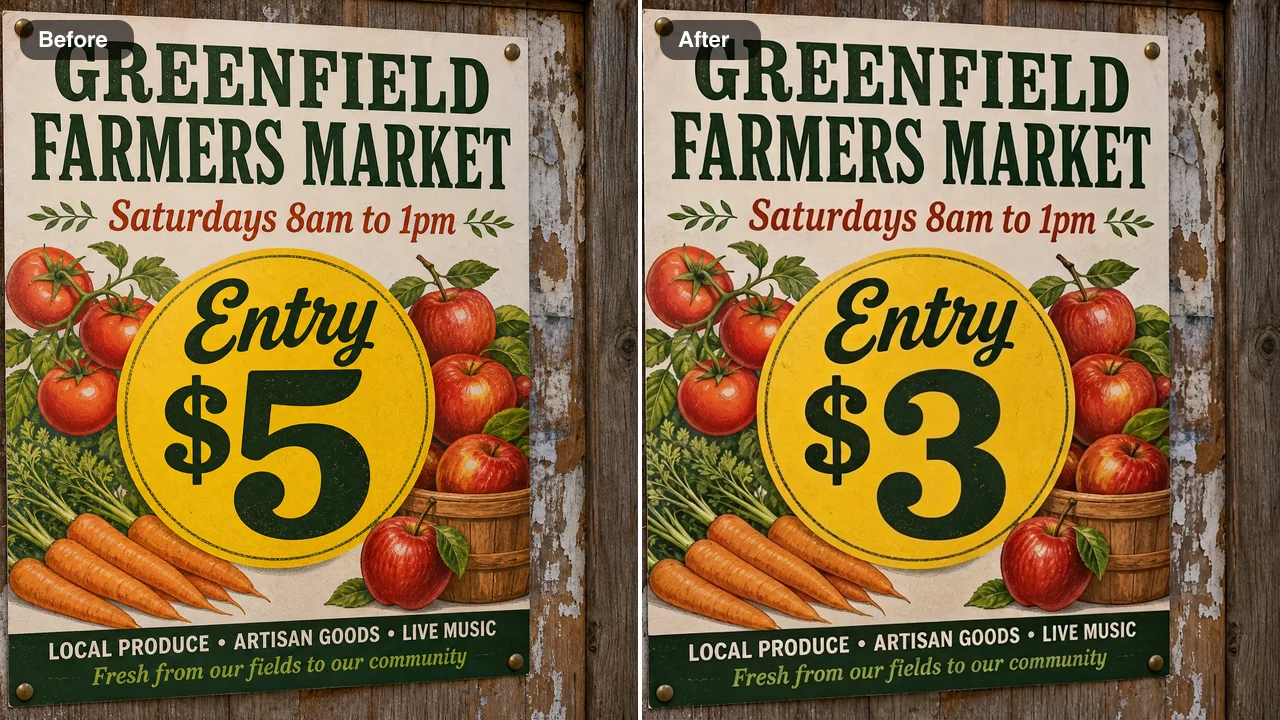
Before and after: a farmers market poster badge reading Entry $5 on the left and Entry $3 on the right in the same retro type

Slide Statistics Updated Without Reopening the Deck

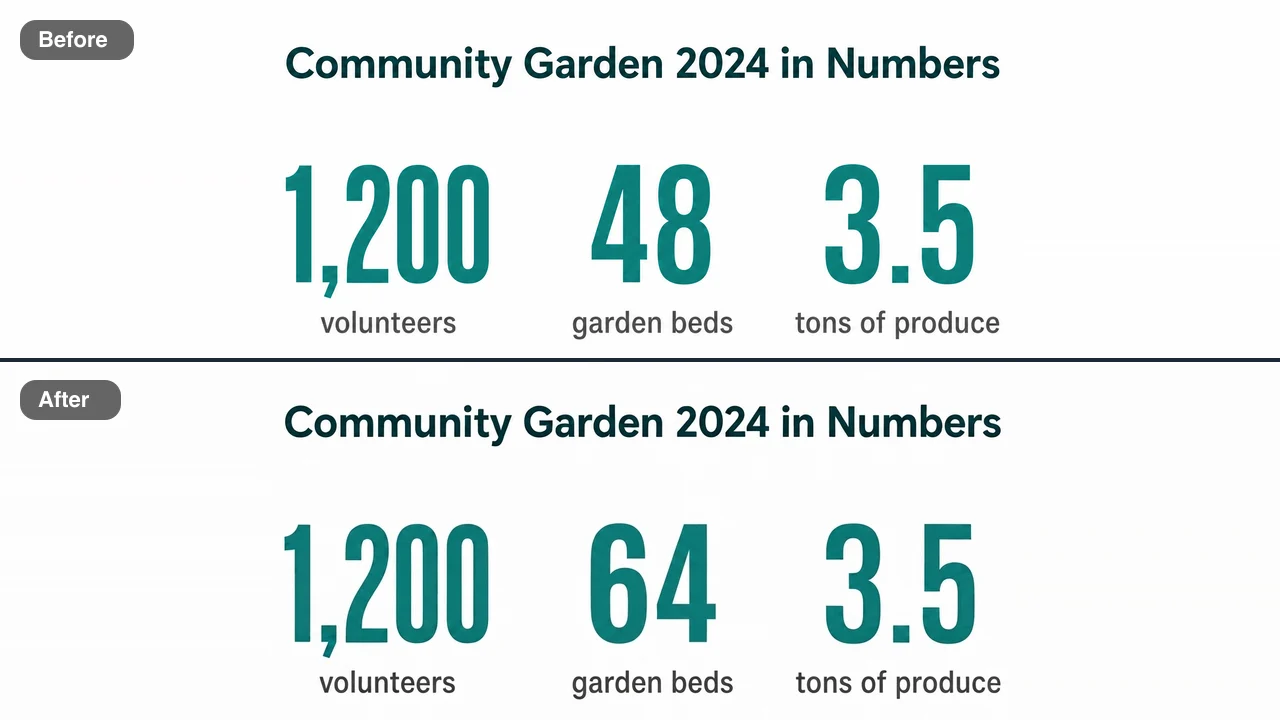
This infographic slide showed three garden statistics in large teal numbers, and the bed count needed updating from 48 to 64. Only that figure changed, in the same bold weight and color, centred above its caption, while the volunteer and produce figures stayed as they were. When a saved slide image is all that is left of a deck, teachers and analysts edit numbers in an image online to update a figure like this one.

Before and after: a garden statistics slide with three teal figures, the beds count 48 on top and 64 below in the same type

Numbers on Fabric Keep the Shirt’s Light

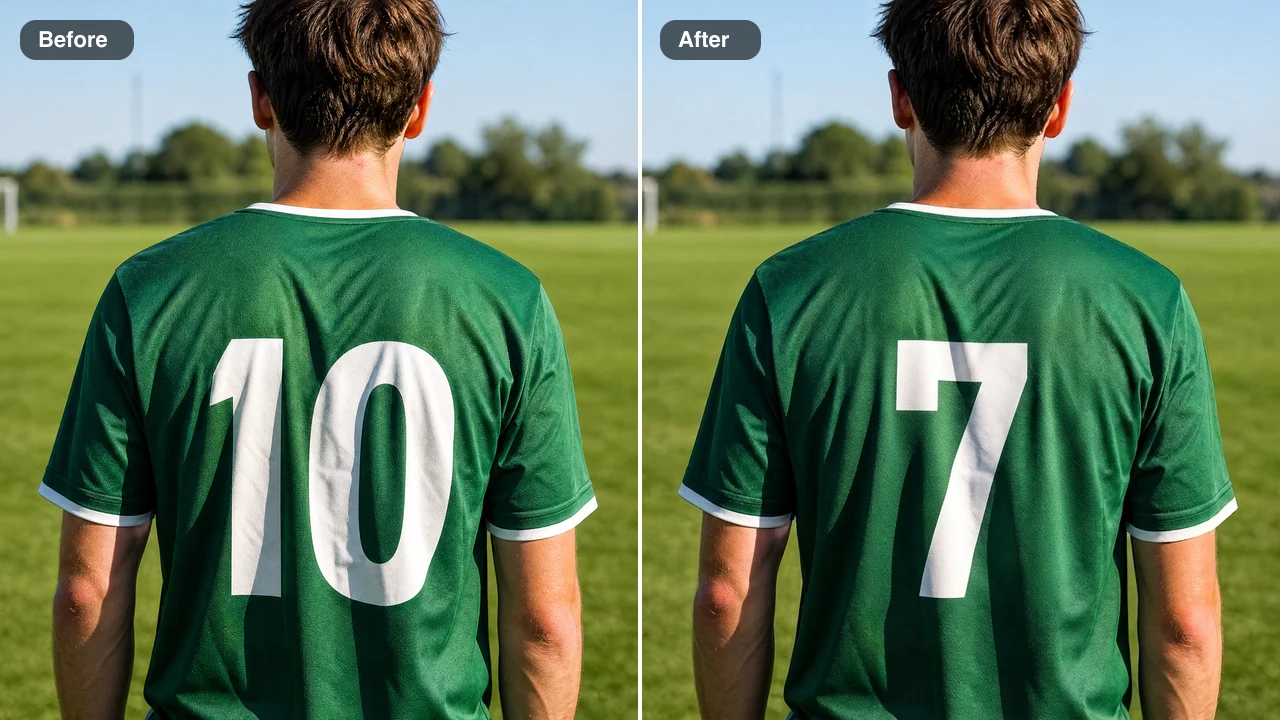
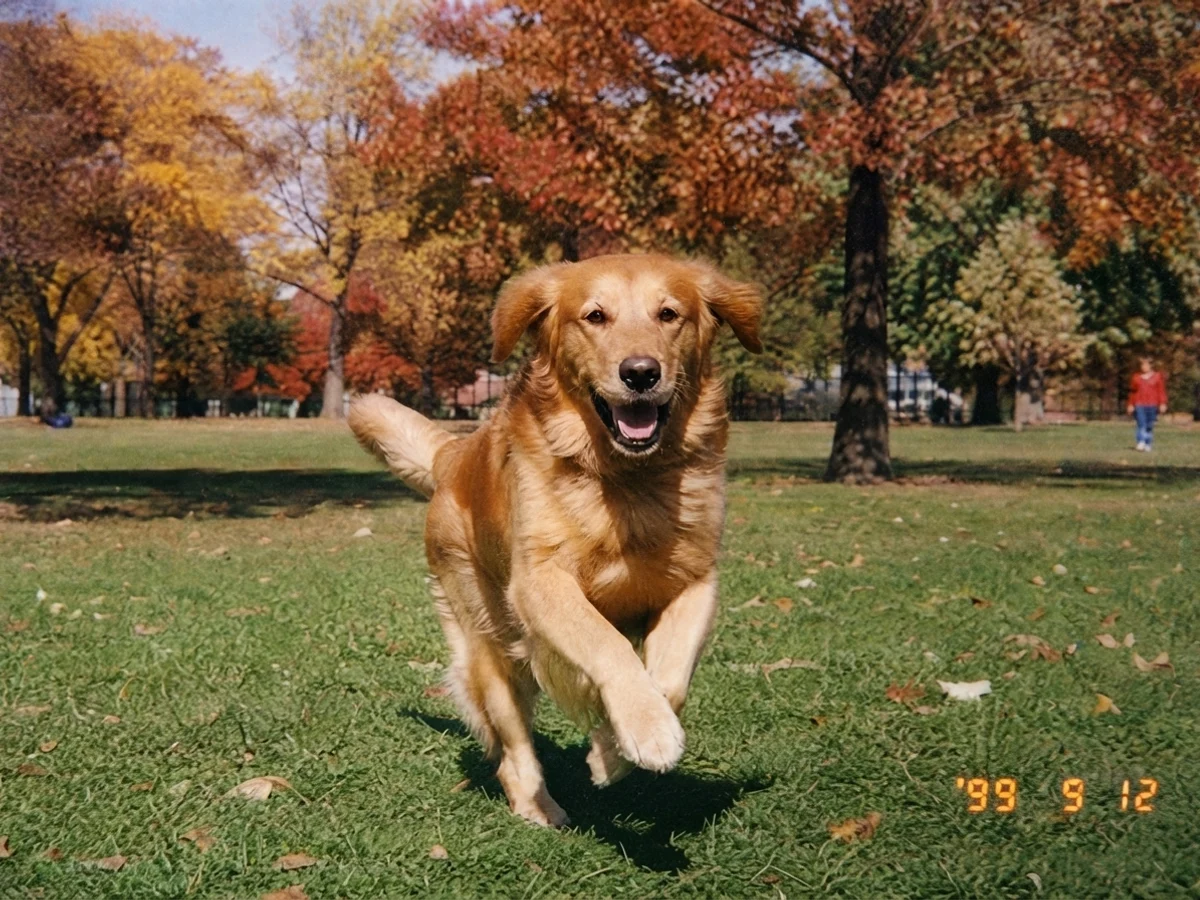
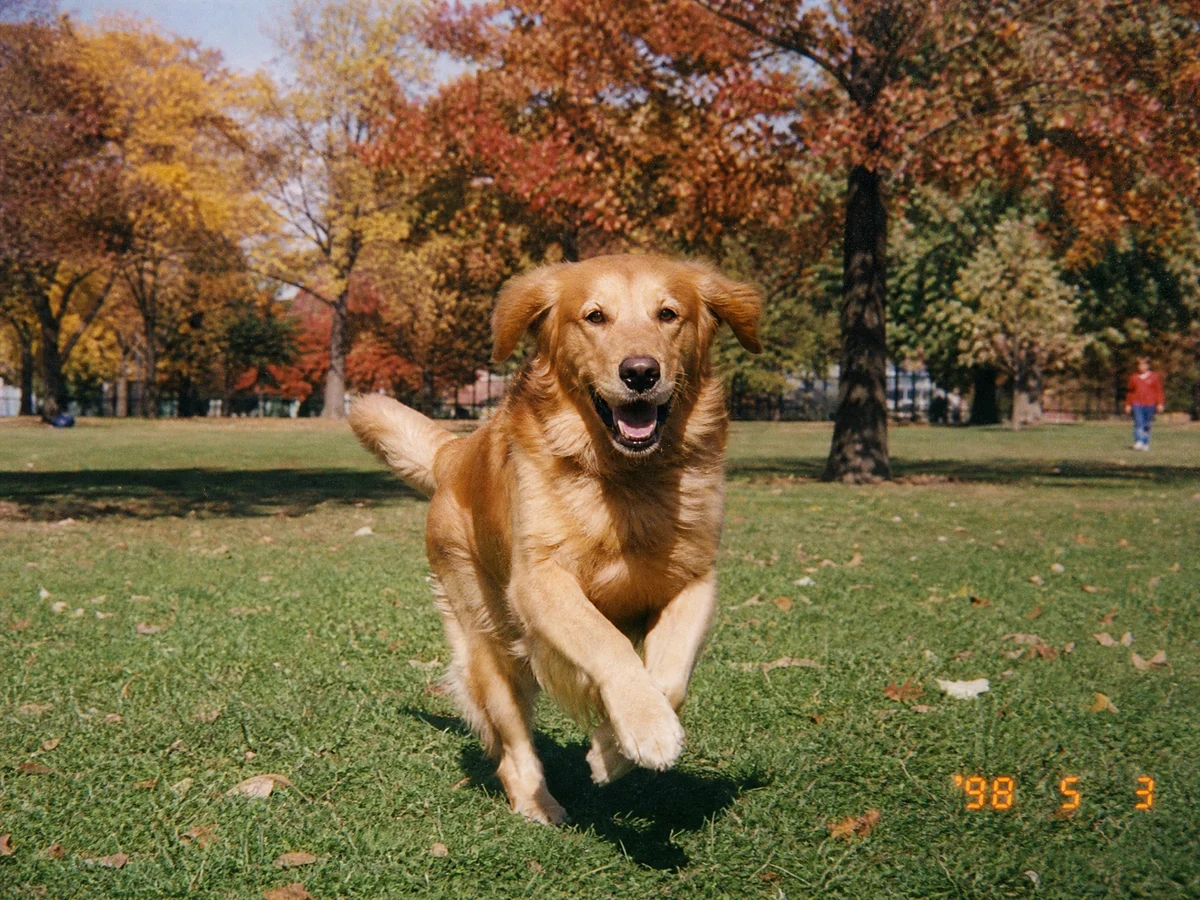
The back of this green jersey carried a large white 10. After the edit it reads 7 in the same white block style, with the sunlight and the shadows of the shirt falling across it, while the collar, the sleeves and the pitch behind stay untouched. Teams use the tool to mock up a new squad number for a roster graphic or a kit preview from a single photo.

Before and after: the back of a green soccer jersey, number 10 on the left and number 7 on the right in the same white print

Product Labels Refreshed for a New Size

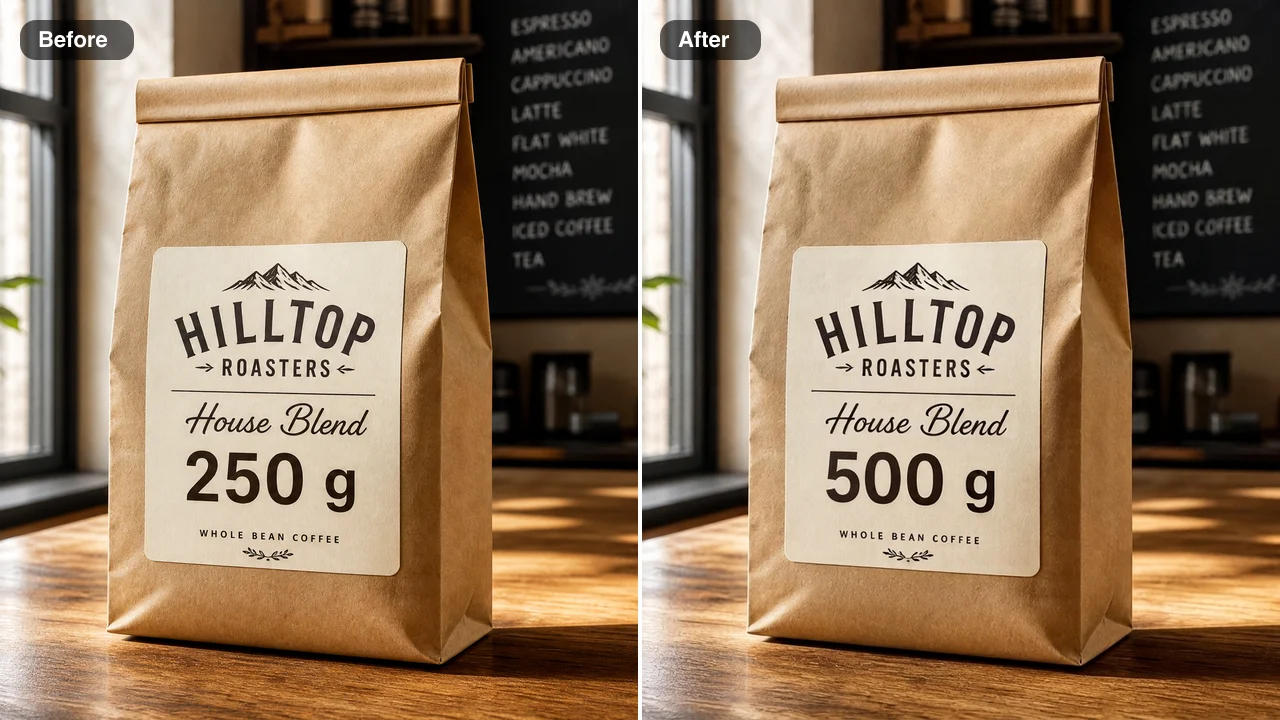
A coffee bag label read 250 g, and the shop needed a matching photo for the new 500 g bag. The edit changed only the weight, kept the cream paper, the type style and the soft window light on the kraft bag, and left the roaster’s name alone. With one product photo, a small brand can edit numbers in an image online to preview a pack-size change for a pitch deck before the new packaging is printed.

Before and after: a kraft coffee bag label reading 250 g on the left and 500 g on the right in the same type

Where People Edit Numbers in Image Online

People bring finished designs where one value has changed and the original file is out of reach, then edit numbers in an image online instead of rebuilding the design.

Café and Restaurant Owners Updating Menu Prices

When the cost of milk goes up, a café owner can take the menu photo used for the website and delivery apps and edit numbers in an image online. The latte moves from 4.50 to 5.25, the chalk lettering stays the same, and nobody has to rewrite the board and photograph it again.

Event Organisers Reusing Last Season’s Flyer

A community group can reuse last season’s poster by changing the entry fee or the number of stalls and sharing the update with its members. When they edit numbers in an image online, the new figures match the original type, so the flyer still reads as one finished design.

Teachers and Analysts Correcting Saved Slides

A teacher or analyst who spots an outdated figure on a saved slide or infographic can fix it without the source file. They edit numbers in an image online, check the new figure against the original and drop the corrected picture back into the handout or the recap email.

Designers Mocking Up Signs and Packaging

Designers show clients house numbers, shop signs and pack sizes before anything is made. They replace numbers in a photo of the real door or package once for each choice, so a single shot becomes several options the client can review in one presentation.

How Café Owners, Coaches and Designers Edit Numbers in Image Online

Our oat latte went up by seventy-five cents, and the menu photo on our delivery page still showed the old price. The picture of our chalkboard was all I had, but it let me edit numbers in an image online instead of rewriting the board. The new 5.25 looked hand-chalked like everything else, and the delivery listing finally matched the counter.

Rosa Delgado
Café Owner

Edit Numbers in Image Online FAQ

Answers about how to edit numbers in an image online: what it costs, which images work, what to write in the note and which images the tool declines.

The edit numbers in image online tool is an AI photo editor that changes one figure inside a finished picture. It handles a price, a percentage or a house number without the original design file: you upload the image, write the old and new value as a short note, and only that number is redrawn in the matching font, color and background.

Yes — FixImage adds free credits when you create an account. The daily check-in tops them up, with a streak raising the reward up to 3x by day 7, and each time you edit numbers in an image online, 6 credits come from the same balance that covers the other AI photo fixes on the site.

Images where the number is sharp, fully visible and easy to read give a close match. Menus, posters, slides, product labels and door signs all work, including digits on fabric, chalk or metal. Upload a JPG, PNG or WebP from your phone or computer, and you can edit numbers in a photo without cropping, because the result keeps your original framing.

Write the old and new value in the note, such as change 48 to 64, and press Edit Image. The note takes up to 200 characters, and font matching is built in: the edit runs on Nano Banana 2 Lite with instructions to copy the weight, size, spacing, color and texture of the surrounding digits, so you can edit numbers in an image online without choosing a typeface.

Only the number you name is redrawn, and the rest of the design keeps its look. Other words and figures, logos, illustrations, surfaces, lighting, framing and colors stay as they were. When you change numbers in a photo of a menu or a slide, the surrounding layout stays in place, so the picture still reads as the same design.

The edit numbers in image online tool is made for menus, posters, signs, slides and product images. Identity documents, bank statements, payment confirmations, receipt and invoice amounts, and medical, legal or government documents are declined automatically before the edit starts, and the Terms of Service also do not allow presenting an edited image as evidence, proof of payment or grounds for a claim.

You decide with the Public Visibility switch above the Edit Image button. Free-plan results are public by default, and a subscription or one-time pack lets you keep any edit private. The image you upload is used only to make the change you asked for.

Name one number per edit and copy it exactly as it appears, including commas, decimals and currency signs. Keep the new value close in length to the old one so it fits the same space, use the sharpest copy of the image you have, and compare the result with your original before you download it.

Edit Numbers in Image Online and Download the Update

Upload a menu, poster, slide or label and write the old and new value to edit numbers in an image online in the same font and texture. Check the result against your original and download it for your website or listing. Start with the image that has the outdated figure.

Change a Number Now
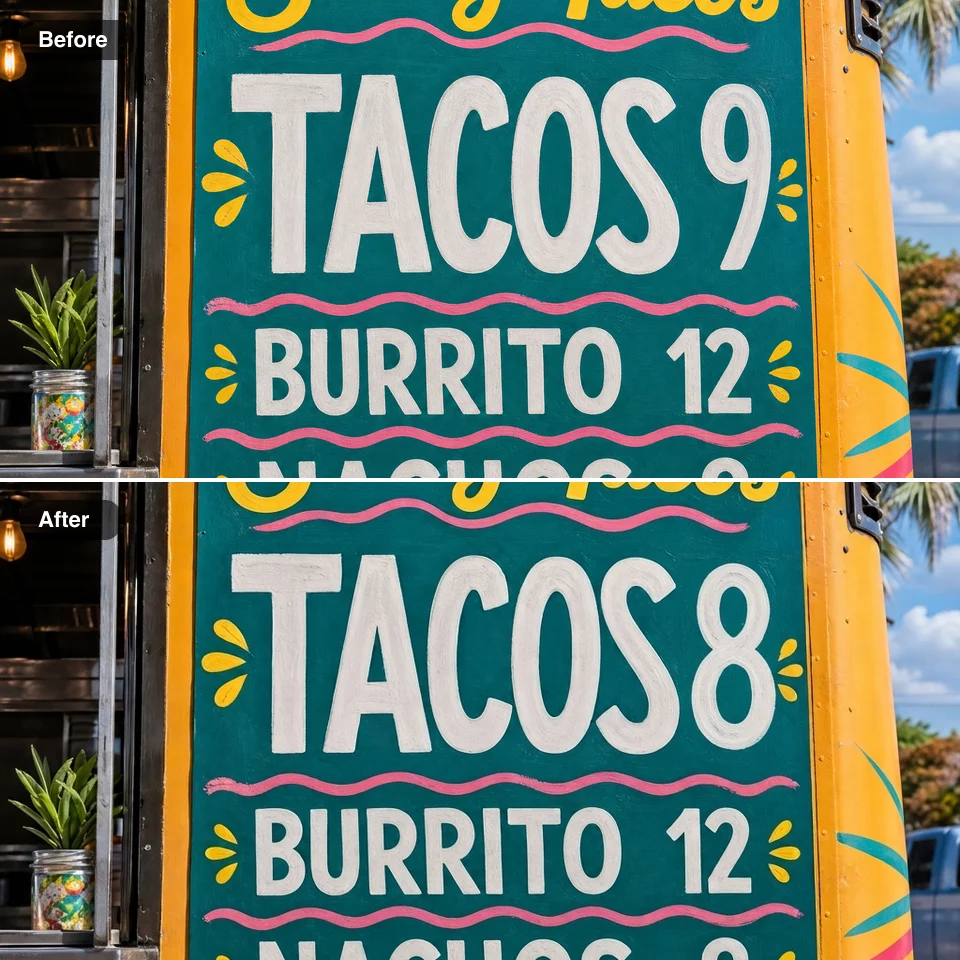
A teal food truck menu board shown twice, tacos priced 9 on top and 8 below in the same painted letters