












BLACK FRIDAY

2× credits · Ends Dec 1

Ends Dec 1, 11:59 pm PTGrab 2× credits
Change Date on Photo

Upload one snapshot and write the old and new date. You can change the date on a photo here without touching the rest of the picture, because only the visible stamp is redrawn.

Change Date on Photo
Upload Your Photo

JPG, PNG or WebP · up to 20 MB · max 6000 px per side

Note
0/200
Public Visibility
Required credits
6
Examples
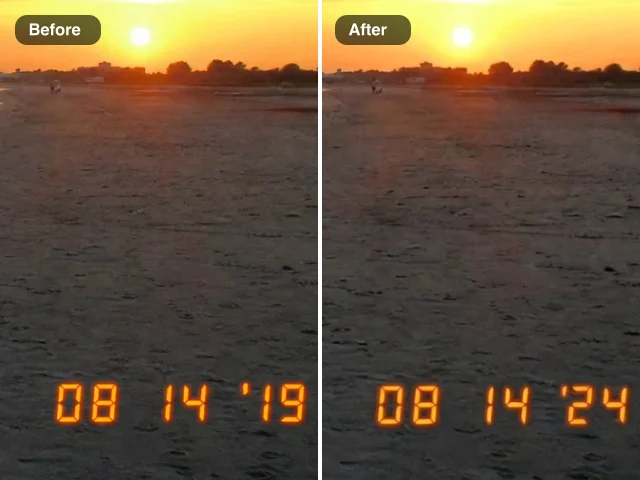
Sunset snapshot before and after a stamp correction: wrong 08 14 ’19 on the left, 08 14 ’24 in matching orange on the right

More Fixes for the Same Kind of Photo

Other tools in this category, for the next problem in the same picture.

Change Date on Photo Stamps in the Same Digits and Glow

Fix a wrong camera date stamp and keep the rest of the snapshot as you remember it.

Upload one photo with a date printed in the picture: an orange stamp from an old digital camera, a film imprint in the corner or a date painted on an event sign. Type the old date and the new one, such as correcting 08 14 ’19 to 08 14 ’24, and the AI redraws those characters in the same segment style, color, glow and format, rebuilding the background around them. It edits the date you can see, while the file’s EXIF capture date is a separate setting. Once you change the date on a photo stamp, check the corner against the original and download the photo for your album.

Change the Date on My Photo
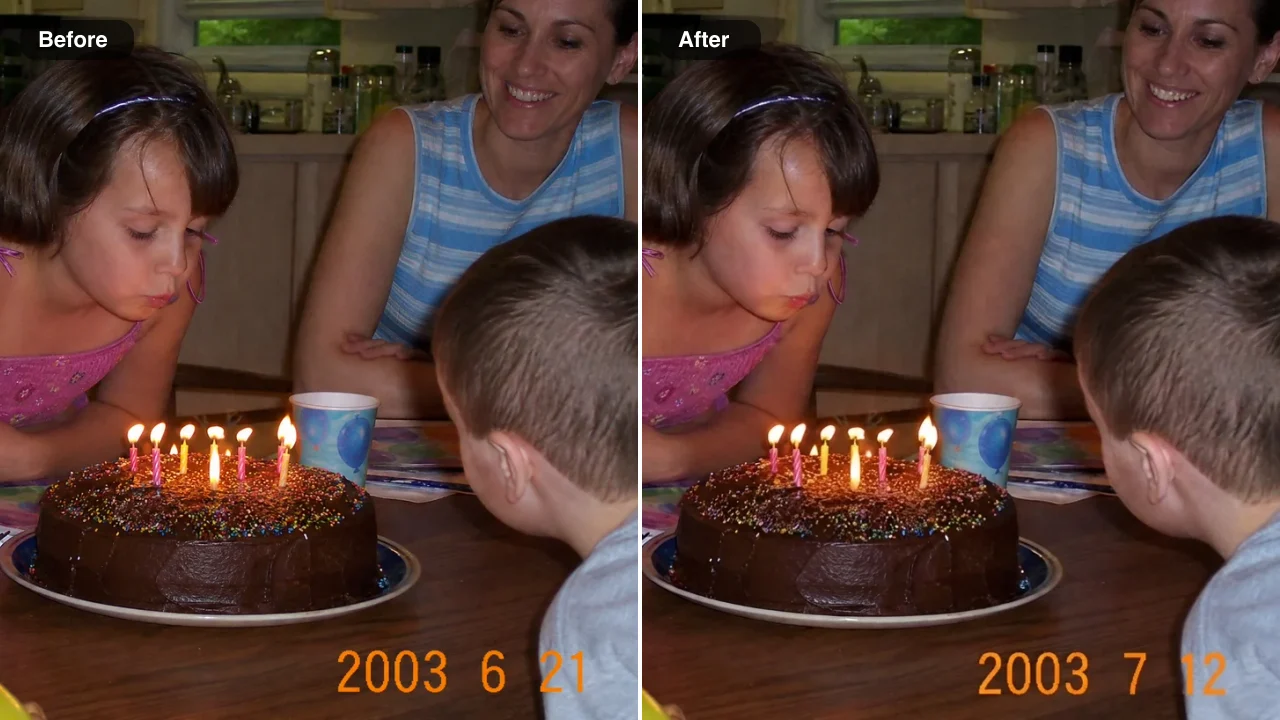
Before and after: a birthday cake snapshot with an orange camera date stamp 2003 6 21 on the left and 2003 7 12 on the right
Glowing LED Stamps Matched|Reset Camera Dates Fixed|Busy Backgrounds Rebuilt|Printed Sign Dates Updated

How to Change the Date on a Photo in Three Steps

You change the date on a photo in three steps: upload the picture, copy the old date and give the new one, then check the redrawn stamp and save it.

1

Upload the photo with the date stamp

Add a JPG, PNG or WebP, such as a scan of an old print or a file straight from a compact camera, or choose one from your Asset Library. Pick the sharpest copy you have, where every digit is readable, because a clear stamp lets you change the date on a photo with a close match to the original glow.

2

Type the old and new date, then press Edit Image

Copy the date exactly as it appears in the corner, including spaces, dots and the apostrophe, and give the new one in the same format, for example change 1 1 2000 to 2 14 2021. Press Edit Image, and the built-in instructions keep the stamp style and the rest of the picture.

3

Compare the stamp and download the photo

Look closely at the corner of the result and check it against your original: the digits should glow in the same color, size and spacing, with the background rebuilt around them. Download the result or save it to your Asset Library, and run it again with a clearer note if you want to change the date on a photo once more.

Free Photo Tools, No Credits Needed

Repair a broken JPG, straighten a photo, make a scan or add an outline for free, with nothing added to your download.

How the Stamp Looks After You Edit the Date on a Photo

The four photos below were edited with this tool. Only the printed characters change when you edit the date on a photo here; the scene, the colors and the camera’s grain stay as they were.

Change Date on Photo Stamps with the Same LED Glow

This night skyline came from a compact camera whose stamp read 12 31 ’18, a year behind. The note asked for ’19, and the new digits glow in the same orange seven-segment style with the same soft halo over the dark water. On holiday and New Year’s Eve pictures the stamp is part of the memory, so a wrong year stands out.
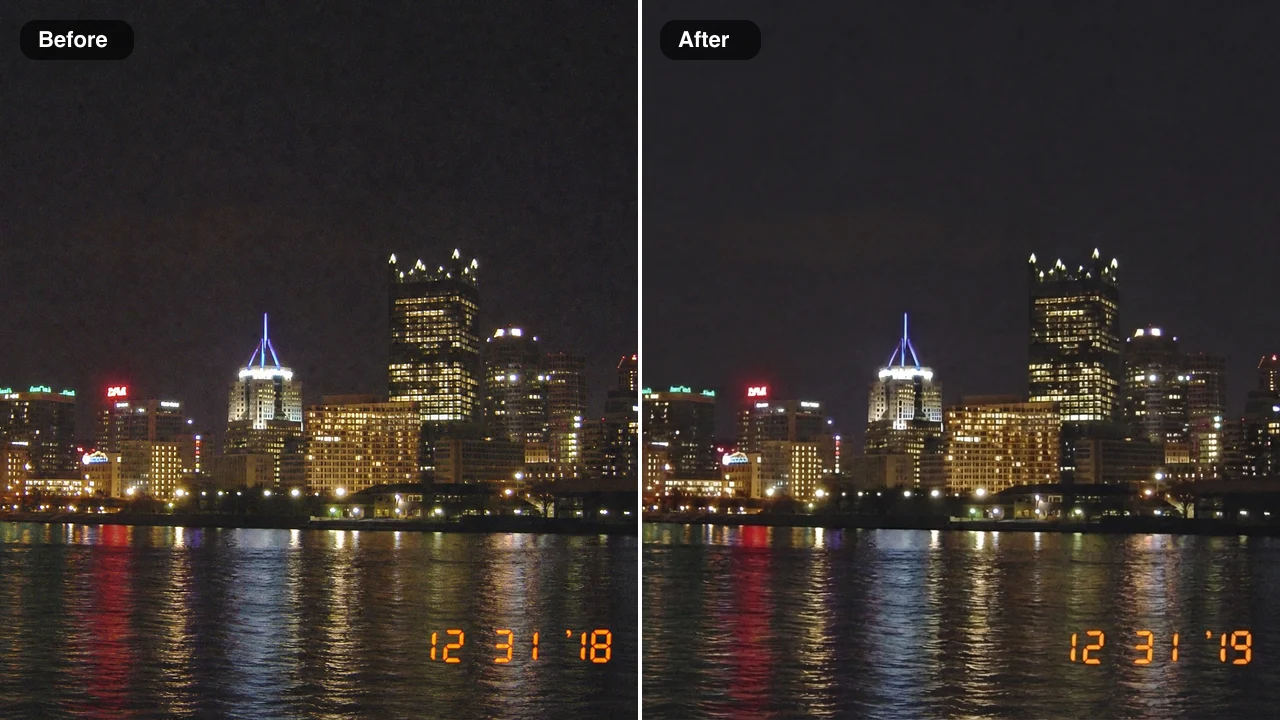
Before and after: a night skyline over a river with a glowing orange stamp 12 31 ’18 on the left and 12 31 ’19 on the right

Camera Reset Dates Corrected on Family Snapshots

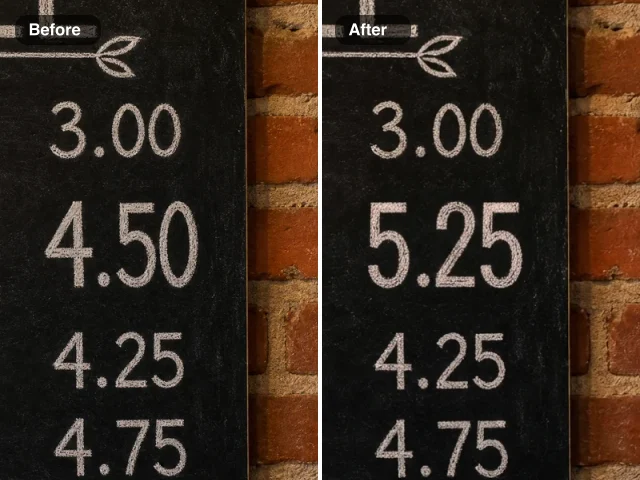
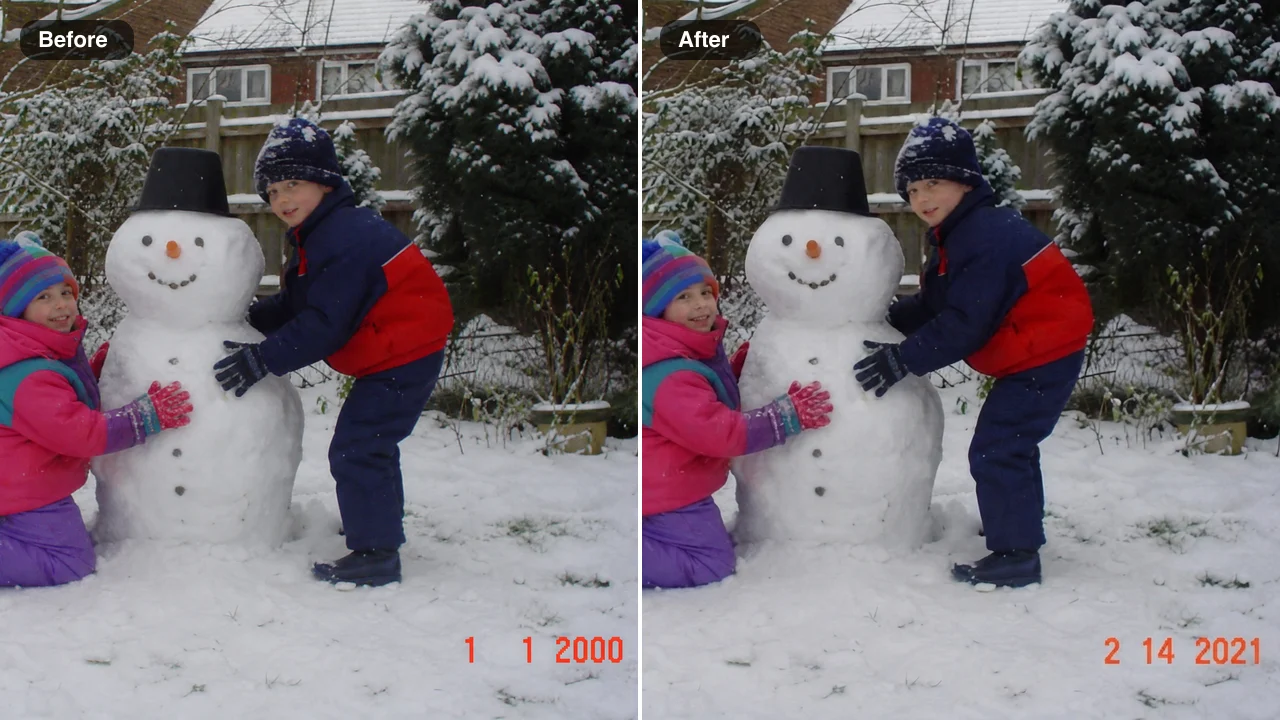
Old cameras can reset their clock to 1 1 2000 after a battery change, so a whole winter of pictures carries the wrong date. Here the snowman photo now reads 2 14 2021 in the same stamp font and color, while the children, the snow and the garden stay untouched. A family archivist can change the date on a photo like this before the print goes into the family album.

Before and after: two children building a snowman with an orange date stamp 1 1 2000 on the left and 2 14 2021 on the right

Busy Backgrounds Rebuilt Around the New Digits

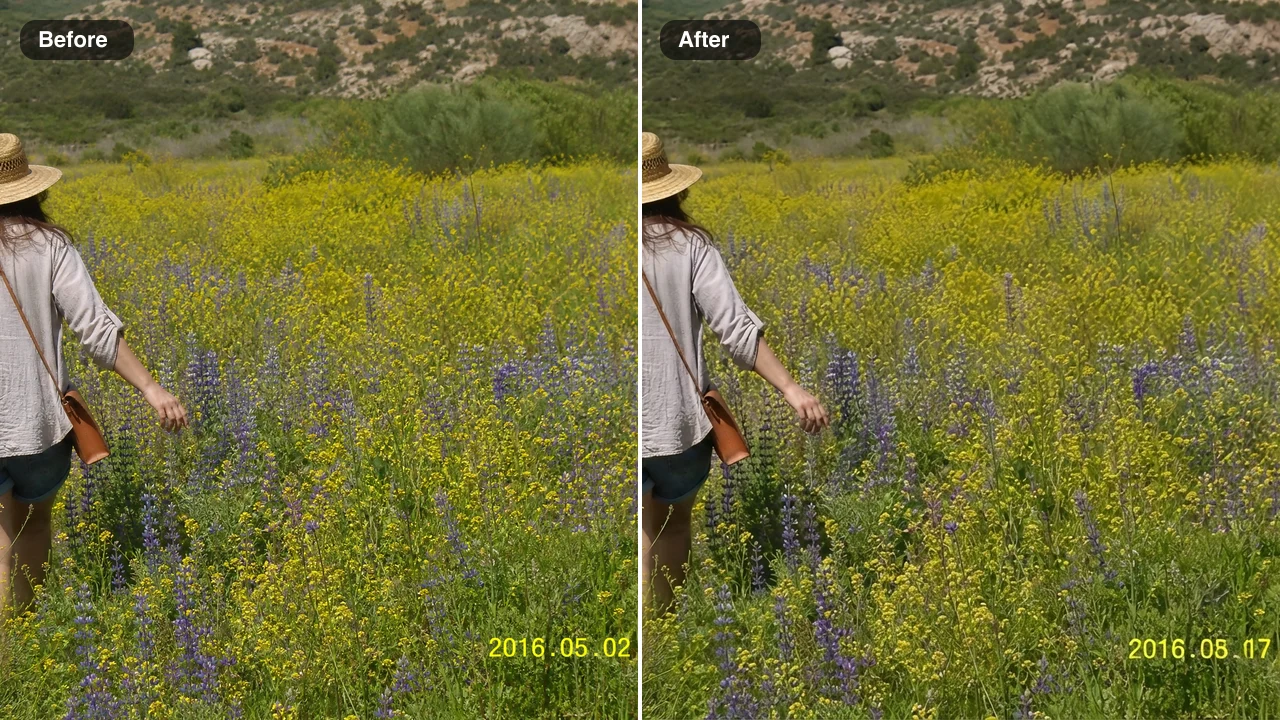
A yellow stamp sitting on flowers and grass is a demanding case, because the background has to be redrawn where the old characters were. The camera had stamped 2016.05.02 on a summer walk; after the edit it reads 2016.08.17, and the petals and stems continue naturally behind each digit without a smudge or a patch. Because the background is rebuilt, you can change the date on a photo like this without cropping away part of the meadow.

Before and after: a woman in a wildflower meadow with a yellow stamp 2016.05.02 on the left and 2016.08.17 on the right

Printed Dates on Event Signs Updated in Place

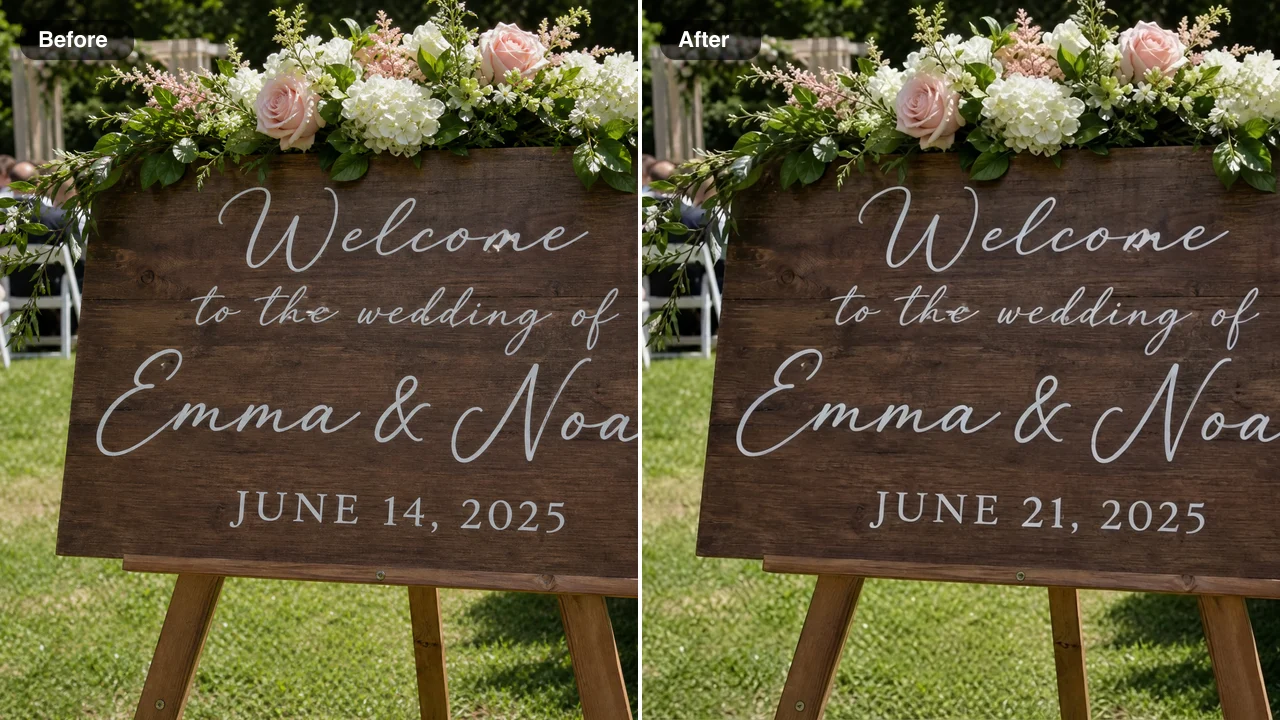
Dates also appear inside the scene. This wedding welcome sign read JUNE 14, 2025, and the couple wanted a photo of it with the new date after the ceremony moved a week. The edit repainted 21 in the same white capitals and kept the flowers, the easel and the garden. Planners change the date on a photo of a sign this way for announcement posts and mockups.

Before and after: a wooden wedding welcome sign reading June 14, 2025 on the left and June 21, 2025 on the right

Who Needs to Change the Date on a Photo

Each of these people has the right picture with the wrong printed date, so they change the date on a photo stamp and keep everything else as it was.

Family Archivists Fixing Wrong Camera Clocks

Scanning a box of prints can reveal a camera whose clock was never set. A family archivist can change the date on a photo from that batch so the stamp matches the event it shows when the album is shared, with the faces and the scene unchanged.

Couples Building Anniversary Slideshows

An anniversary slideshow tells a story in order, and one stray stamp from a mis-set camera breaks it. Couples change the date on a photo from a first date or a honeymoon so the corner matches the real day, keeping the orange digits that make those snapshots feel like their era.

Scrapbookers and Retro Photo Creators

Scrapbookers and creators who love the 2000s stamp look treat it as a design detail. They edit the date on a photo to mark a birthday, a trip or a milestone in the same glowing style, then add it to a journal layout or a post with the stamp intact.

Event Planners Mocking Up Updated Signs

A planner who designed last year’s welcome sign can change the date on a photo of it to mock up this year’s version for the client, keeping the lettering, flowers and lighting so the new design is easy to approve before the sign is repainted.

Stories from Archivists and Planners Who Change the Date on a Photo

My old compact camera reset itself every time I changed the batteries, so a whole Christmas of pictures says 1 1 2000. Now I change the date on the photo stamps one by one, starting with the grandchildren and their snowman, before the pictures go into the family calendar. The orange numbers keep the same glow as the rest of the batch.

Doreen Whitfield
Retired Librarian

Change Date on Photo FAQ

Answers about how to change the date on a photo: what the tool edits, what it costs, which photos and stamps work best and which images it declines.

The change date on photo tool is an AI photo editor that redraws the date you can see in a picture. That can be an orange camera stamp, a film imprint or a date painted on a sign: you upload the photo, write the old and new date, and those characters come back in the same style, color and glow.

Yes — sign up to FixImage and free credits are added to your account. A daily check-in adds more, rising up to 3x on a seven-day streak, and one edit uses 6 credits, so you can edit the date on a photo and spend the remaining balance on the other AI photo fixes here.

The change date on photo tool edits the visible date in the picture, while the EXIF date taken is a separate setting. That visible stamp is what people see in an album or a slideshow; the capture date stored in the file’s EXIF data is changed in your phone’s gallery or a metadata editor.

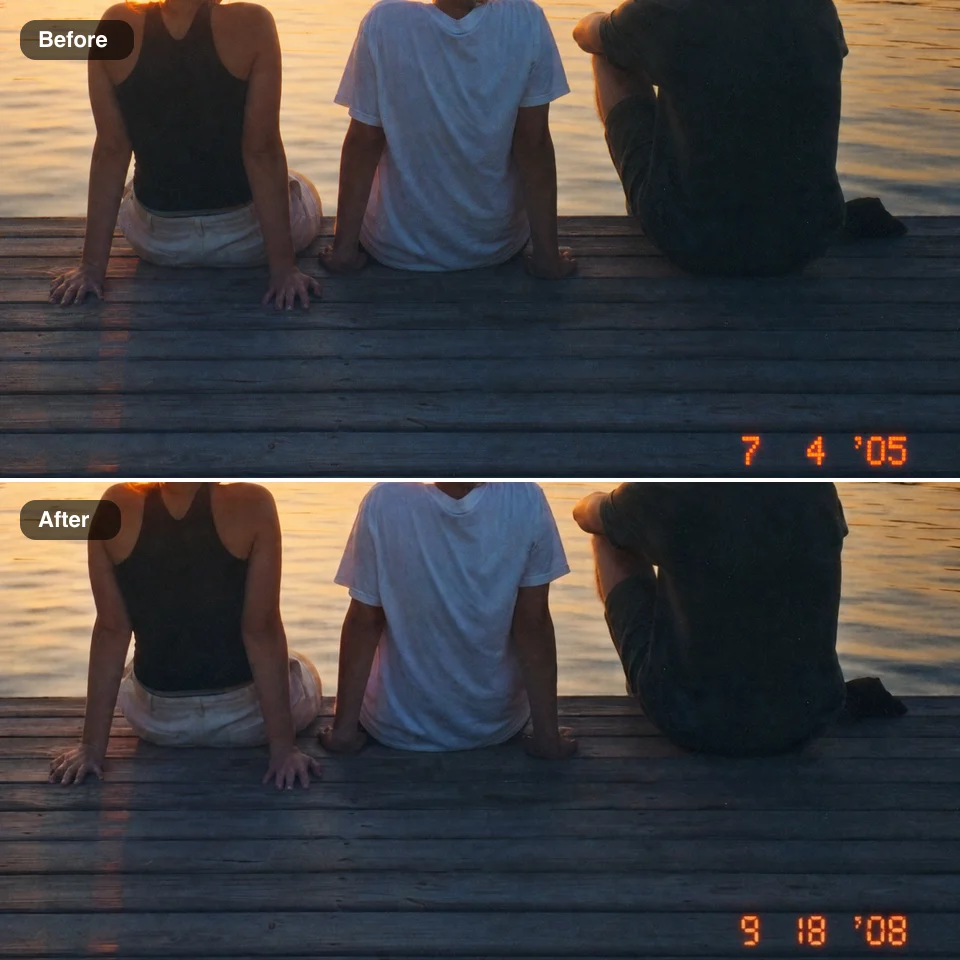
Write the old stamp and the new date in the note, then press Edit Image. Copy the stamp exactly and keep the same format, for example change 7 4 ’05 to 9 18 ’08; the instructions are built in and the edit runs on Nano Banana 2 Lite, which matches the digit style, color and glow, so you change the date on a photo without picking a font.

Photos where the stamp is sharp and fully inside the frame give a clean, close match. Compact camera files, film scans and phone photos of prints are suitable, and orange, yellow and white stamps all work. Upload a JPG, PNG or WebP from your phone or computer, and the picture keeps its framing.

The change date on photo tool is made for personal snapshots, film scans and event signs. Passports, ID cards and other identity documents, bank statements, payment confirmations, receipts and invoices, and medical, legal or government paperwork are declined automatically before any edit begins, and the Terms of Service also do not allow presenting an edited image as evidence, proof of payment or grounds for a claim.

You choose who sees it with the Public Visibility switch above the Edit Image button. Free-plan edits start out public, and a subscription or one-time pack lets you keep any edit private. Either way, your snapshot is used only to redraw the date you named.

Before you change the date on a photo from an old camera, scan the print straight on or use the original file. Copy the old date exactly in your note and give the new one in the same format and length, keep the stamp fully inside the frame, check the redrawn corner against the original, and run it again with a more precise note if a digit needs another pass.

Change the Date on a Photo from Your Album

Upload a snapshot with a wrong stamp, write the old and new date, and change the date on a photo in the same digits and glow. Check the corner against your original and download the picture for an album or slideshow. Pick the snapshot and fix that wrong year.

Fix My Photo’s Date
Three friends on a lake dock at sunset shown twice, a wrong film date imprint 7 4 ’05 on top and the corrected 9 18 ’08 below