
BLACK FRIDAY

2× credits · Ends Dec 1

Ends Dec 1, 11:59 pm PTGrab 2× credits

Free Image Tools Tools

Free Image Tools for Everyday Photo Fixes

Free image tools on FixImage cost nothing to use. Photo to Scan turns a phone picture into a clean scanned page, Photo Perspective Correction straightens leaning buildings and angled whiteboards, and Add Outline to Image wraps a PNG in a sticker outline. Adjust each one with a live preview and download at full resolution.

Browse the Tools
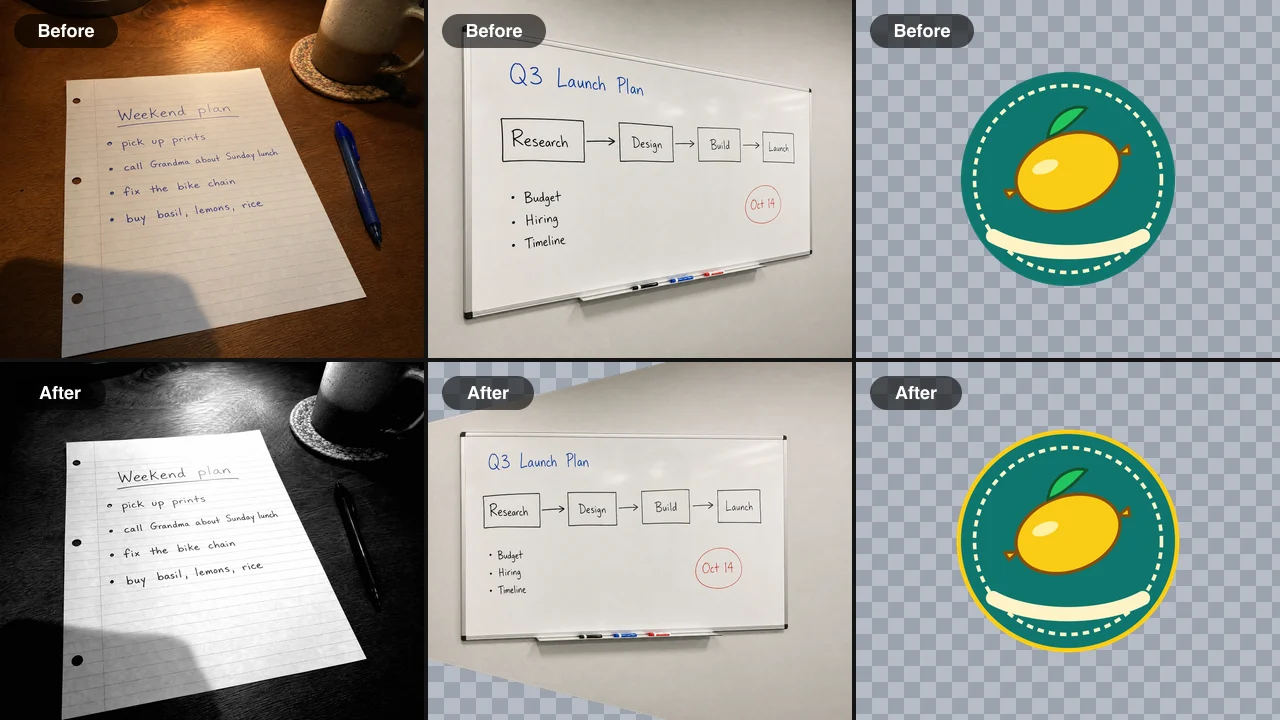
Before and after: a notes photo made a clean scan, an angled whiteboard squared up, a lemon badge given a yellow outline

Free Image Tools for Paperwork, Buildings and Stickers

Each of these free image tools does one everyday job for free, with simple controls and a live preview instead of a full editor.

Make a Phone Photo Look Scanned

Photo to Scan, one of the free image tools on this page, turns a picture of a receipt, letter or handwritten note into a page that looks like it came off a flatbed scanner. Choose black and white, grayscale or color, raise the contrast to whiten the paper and add a touch of grain, then download a PNG or a PDF for expense claims, forms and letters.
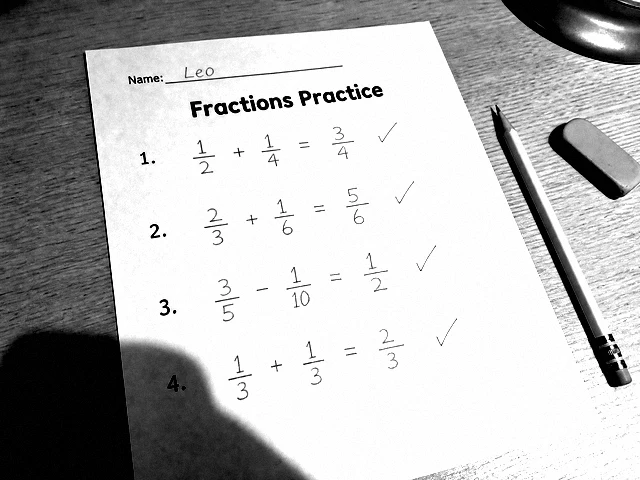
Fractions worksheet on a wooden desk turned into a crisp black and white scan with dark print and pencil answers

Straighten Leaning Buildings and Angled Pages

Photo Perspective Correction fixes a facade that tips backwards, a whiteboard shot from the side and a horizon that slopes. For pages and whiteboards it usually finds the four corners for you to drag into place; for buildings and horizons, sliders set the vertical tilt, horizontal tilt and rotation over a grid. Like the other free image tools here, it saves a full-resolution PNG or JPG at no cost.

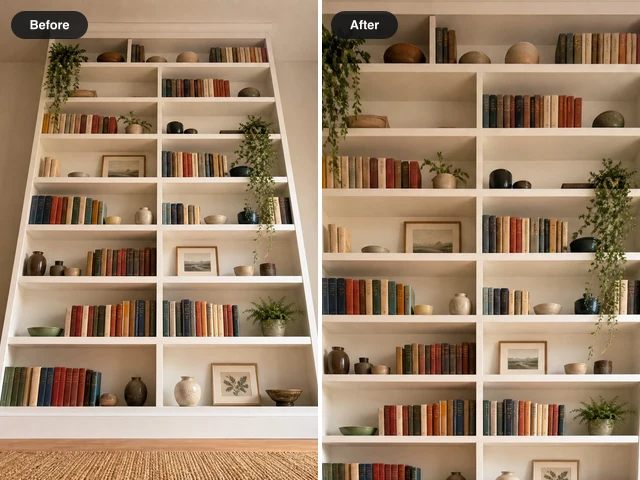
Bookcase photo before and after perspective correction: shelves leaning inward on the left, upright shelves on the right

Wrap a PNG in a Sticker Outline

Add Outline to Image traces the shape of a transparent PNG and draws an even outline around it in white, black, gold or any color you pick, from 1 to 60 pixels thick, with an optional soft shadow. A regular photo gets a clean border instead. The result downloads as a transparent PNG, ready for stickers, thumbnails and logos.

Cartoon ice cream cone cutout with a thick white sticker outline on a violet backdrop

How to Use Free Image Tools Online

The three free image tools on this page work the same way: open one, add a photo, adjust it with a live preview and download the finished file.

1

Open the tool for the job

Pick Photo to Scan for paperwork, Photo Perspective Correction for tilted shots or Add Outline to Image for stickers. The free image tools open straight into their editor, so the first thing you see is the place to drop a picture.

2

Add a photo and adjust the settings

Drop in a JPG, PNG or WebP file from your laptop or phone. The preview redraws as you move a slider, switch the color mode or change the outline thickness, so you can judge each change before saving.

3

Download the finished file

Save the result as a PNG, a JPG or, for scans, a PDF. These free image tools put no limit on downloads, so you can open the next photo whenever you are ready.

What People Do with Free Image Tools Online

Small jobs where free image tools online save you from opening a desktop editor or hunting for a scanner.

Expense receipts and forms

Freelancers and office staff photograph receipts, invoices and signed forms on a desk. With free image tools they turn each photo into a clean black-and-white page and send a PDF to the accounts team without needing a scanner.

Homework and permission slips

Students and parents can turn a phone photo of a worksheet or a signed slip into a printable page before the school run. The free image tools work on a school laptop or a phone browser, so the page is ready to print even when the deadline is close.

Property and event photos

Estate agents, bloggers and event organisers who shoot buildings and stages from street level use perspective correction to pull the verticals straight, and Crop to fill tidies the edges, giving a listing or recap photo a cleaner look with free image tools instead of a desktop editor.

Stickers, thumbnails and badges

Creators drop a transparent PNG of a logo, a pet cut-out or a product into the outline tool to give it a bold sticker edge for a video thumbnail, a sticker sheet or a shop banner, so the design stands out on whatever background it lands on.

What People Say About These Free Image Tools

Every month my clients send photos of crumpled receipts taken on car seats and kitchen tables. I run them through the free image tools here, turn each one into a crisp black-and-white page and save a PDF straight into their folder. Nothing is added to the download, so the pages go to the tax office exactly as they look on screen.

Benedikt Sauer
Bookkeeper

Free Image Tools FAQ

Answers about what the free image tools cost, what you can download and which tool fits each everyday job.

This page groups three free image tools: Photo to Scan for scanned-looking pages, Photo Perspective Correction for tilted buildings, whiteboards and horizons, and Add Outline to Image for sticker outlines and photo borders. FixImage also has a free Repair Corrupted Image tool for JPGs that will not open.

Yes — Photo to Scan, Photo Perspective Correction and Add Outline to Image are free to use, with no sign-up, no login and no credits spent. Use the free image tools as often as you like and save every result at full resolution, with nothing added to the files you download.

No — the free image tools open straight from this page on a laptop, tablet or phone, with nothing to download or install. Pick a tool, add a photo and save the finished file when the preview looks right.

Yes — these free image tools work in modern mobile browsers. Open a tool, pick a photo from your camera roll, adjust it with the corners, sliders or color controls and download the result to your phone’s photos or files.

You can open JPG, PNG and WebP photos. Photo to Scan saves a PNG or a PDF, Photo Perspective Correction saves a PNG or a JPG, and Add Outline to Image saves a transparent PNG, so each of the free image tools hands you a file ready for its job.

Try the Free Image Tools with Photo to Scan

Take a phone photo of a receipt, letter or note, open Photo to Scan among the free image tools and turn it into a clean black-and-white page you can save as a PNG or PDF. Start with whatever paper is on your desk.

Open Photo to Scan
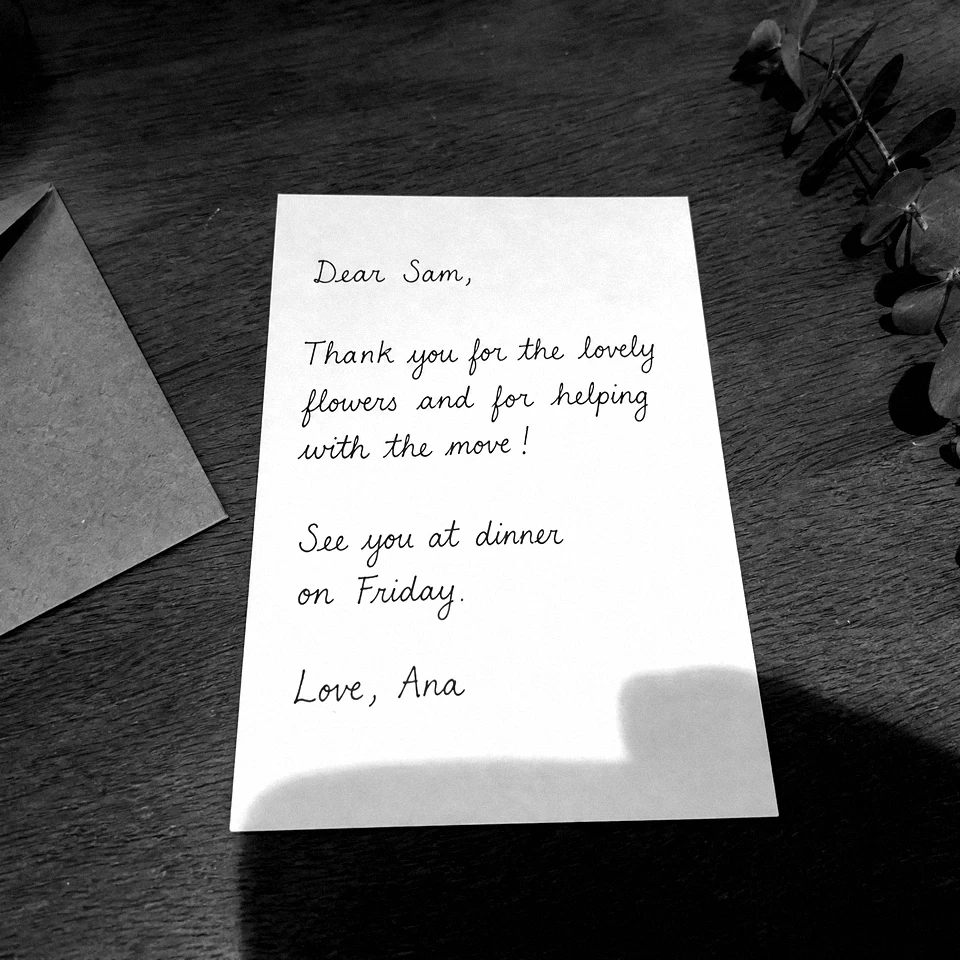
Handwritten thank-you card made to look scanned in grayscale, whole card in a square crop